CURRENT OFFERS More room for your next idea. Explore current offers Knowledge base

WINDOWS VPS · REMOTE DESKTOP

Your Windows workspace.
A server of its own.

Keep your Windows tools on a virtual server in the United States. Choose 4–32 GB RAM, SSD storage and a Windows Server image for your remote administration and compatible applications.

Windows VPS from$19.99/monthCompare 5 plans
United States · US-1 Monthly or annual billing
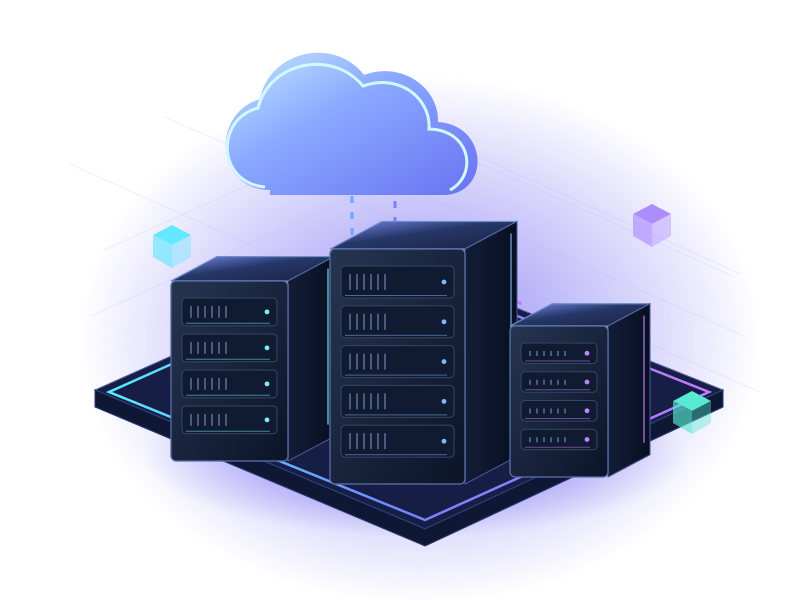
Illustrative Windows RDP infrastructure
5 Windows VPS sizes4 GB to 32 GB RAM
SSD storage40 GB to 150 GB
United StatesUS-1 deployment
Your Windows image2016 · 2019 · 2022 · 2025

PLANS THAT MAKE ROOM

Your Windows VPS.
The resources you need.

Five United States plans. Compare monthly charges or full prepaid annual totals, then open the exact product configuration.

Windows RDP

Windows VPS 4GB

Windows VPS · Remote Desktop

Standard price
$19.99/mo

per month · billed monthly

Windows Server 2016–2025 options

  • 2 vCPU compute
  • 4 GB RAM
  • 40 GB SSD storage
  • 500 GB transfer
  • United States · US-1

Windows license not included.

Configure & order

Configure securely in the console

Windows RDP

Windows VPS 6GB

Windows VPS · Remote Desktop

Standard price
$29.99/mo

per month · billed monthly

Windows Server 2016–2025 options

  • 3 vCPU compute
  • 6 GB RAM
  • 60 GB SSD storage
  • 1,000 GB transfer
  • United States · US-1

Windows license not included.

Configure & order

Configure securely in the console

Windows RDP

Windows VPS 16GB

Windows VPS · Remote Desktop

Standard price
$49.99/mo

per month · billed monthly

Windows Server 2016–2025 options

  • 6 vCPU compute
  • 16 GB RAM
  • 100 GB SSD storage
  • 2,000 GB transfer
  • United States · US-1

Windows license not included.

Configure & order

Configure securely in the console

Windows RDP

Windows VPS 32GB

Windows VPS · Remote Desktop

Standard price
$69.99/mo

per month · billed monthly

Windows Server 2016–2025 options

  • 8 vCPU compute
  • 32 GB RAM
  • 150 GB SSD storage
  • 3,000 GB transfer
  • United States · US-1

Windows license not included.

Configure & order

Configure securely in the console

Prices in USD. A crossed-out price is the regular reference price for the same period. Annual prices are full yearly totals, paid up front. Select your billing term in the console before checkout. Offers, renewal terms, availability and additional charges are confirmed there.

A FAMILIAR ENVIRONMENT. YOUR CHOICE.

Choose your Windows.
Make room for your work.

Select the Windows Server image your software requires on the product configuration page. The four editions below are currently listed for all five plans.

Windows Server

2016

Selectable in the console

Windows Server

2019

Selectable in the console

Windows Server

2022

Selectable in the console

Windows Server

2025

Selectable in the console

Check application compatibility and license eligibility for your selected Windows Server version. Operating-system availability is confirmed during configuration.

YOUR TOOLS. A DEDICATED PLACE TO WORK.

A familiar desktop.
More possibilities.

Choose an environment for your software, not just a memory size. Check storage, compute and transfer alongside RAM.

Remote administration

Connect to your own Windows environment and manage it with a compatible Remote Desktop client.

Windows applications

Create space for business utilities and Windows Server-compatible tools. Size the plan for the complete workload.

Development & testing

Keep a separate Windows environment for application checks, scripts and development tasks.

Tasks & automation

Run authorized scheduled tasks and background services in a self-managed environment. Maintain updates and independent backups.

FROM PLAN TO REMOTE SESSION

Choose. Configure.
Connect.

Each order button opens its own Windows VPS configuration in the ServerCone console.

Read the RDP connection guide
  1. 01

    Choose your resources

    Compare the five Windows VPS plans and open the exact product you need.

  2. 02

    Review your configuration

    Select your billing term and Windows image, enter the server details and acknowledge the licensing requirements.

  3. 03

    Connect after provisioning

    Use the confirmed service details and a compatible Remote Desktop client. Keep credentials private and restrict remote access.

BEFORE YOU GET STARTED

Good questions.
Clear answers.

A few things worth knowing before choosing your next server.

Visit the help center
Are these actual Windows VPS plans?+

Yes. These are five standalone Windows VPS products, with 4 GB, 6 GB, 8 GB, 16 GB and 32 GB RAM. They are virtual servers, separate from Dedicated Starter.

Which Windows versions can I choose?+

Windows Server 2016, 2019, 2022 and 2025 are currently listed on every Windows VPS configuration page. Select your required image in the console and check software compatibility before purchase.

Is Windows licensing included?+

No. The configuration pages require you to supply a valid Windows license eligible for the hosted server and acknowledge the licensing terms. Confirm any additional Remote Desktop Services user-session requirements with support.

Are the Windows plans promotional?+

The five Windows plans currently use standard pricing. No promotional strike-through or additional annual saving is shown. Annual prices are full prepaid yearly totals, equal to twelve monthly payments.

Where are these servers located?+

All five Windows VPS plans currently list United States / US-1. Their SSD capacity and transfer allowances are shown on each plan card.

How does the monthly or annual switch work?+

The switch changes the prices displayed on this website. Your order button always opens the exact Windows VPS product. Select the billing term and Windows image on that configuration page before continuing.

Are unlimited Remote Desktop users included?+

No unlimited-user entitlement is advertised. Confirm the Windows license, intended user sessions and any additional permissions or licenses required for your use case before ordering.

A LITTLE SPACE. ENDLESS POSSIBILITIES.

Your Windows tools.
Their own space to work.

Choose the Windows VPS that fits your next project. Review licensing and the selected configuration in the console.

ServerCone AI

Your AI chat assistant

Opening AI chat…

Connecting to the ServerCone assistant.